
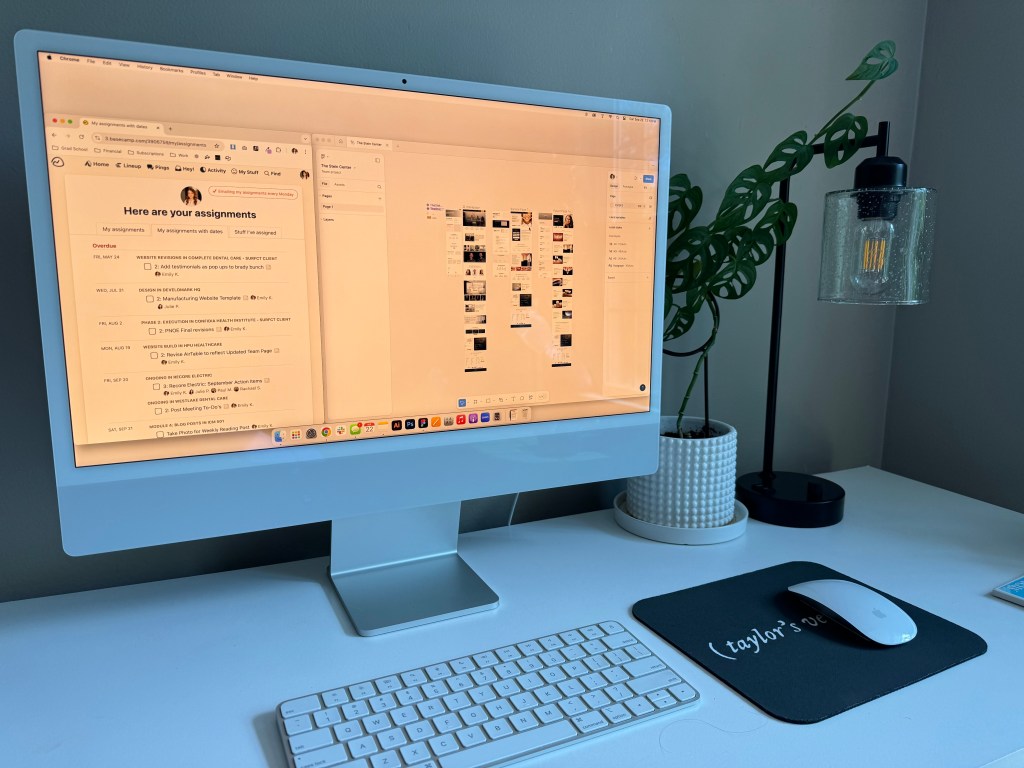
I have been working as a UI designer for almost four years now. In that time, I have learned a lot about the importance of project management for UI and UX design. Having a proper project management system in place leads to successful design outcomes and smoother team collaboration. When there isn’t good project management that leads to late projects and unhappy clients. For UI and UX designers, having the right system in place is extremely important since they typically work with multiple teams including developers, account managers, and content writers. From my experience in agency life, the creative work takes the longest and while it’s important for the rest of the teams to understand this, it’s also important for the designer to have clear, actionable goals to finish the project on time. Here are my five project management tips for UI and UX designers.
Tip 1: Break the Project Down Into Phases
A lot of the time, a UI and UX design project can take some time to finish. That’s why it’s important to have phases of the project with clear and defined deadlines to meet. When a project isn’t broken down into phases, it can be extremely daunting at the start. Dividing the project into easily digestible chunks alleviates the stress getting everything done by one specific date. At Develomark, we break things down into two large chunks, pre-launch and post launch, and then further break down the pre-launch phase into weekly goals that align with the client’s six to eight week build timeline. This helps us on the design team know what is priority to work on and enables us to meet all of our project deadlines.
Tip 2: Emphasize User Focused Design
When designing a website or app, the user is the most important person to keep in mind. The user is the one who is actually using your product and if they have a hard time navigating your website or app they will leave and never come back ultimately causing your client to lose business. Designing for your target audience means that their experience will feel tailored to them and they will want to keep returning. Research on the client’s target audience should be done before the project starts so that the designer has the information readily available when they start the design process. If the designer has to do that research themselves or is unaware, that will lead to lengthened timelines and more client revisions.
Tip 3: Use Collaborative Design Tools Effectively
Collaboration between team members is crucial to keep a project running smoothly. There are many tools these days that offer easy collaboration right within the program. At Develomark, we enjoy using Figma to design the site mockup before it goes into development. We share our Figma links with the content writers who add page text and also so the account managers can show the design to the client. Figma allows for comments to be made directly within the workspace, making it easy for upper management to give feedback on designs. We also use a content management system, called Duda, that allows for good client and agency collaboration. Duda has a commenting feature as well that we take advantage of to let our clients leave direct feedback on their sites before we put them live. We spend less time with back and forth communication using these tools which ultimately saves us time in our process.
Tip 4: Set Realistic Timelines and Manage Expectations
Having a realistic project timeline is the most essential part of a successful project. If your timeline is unrealistic it will only lead to stress, dissatisfaction, and ultimately failure. Creative work takes time and it’s important as the designer to communicate that to their other team members. Designers should have an idea of how long a project will take them and be capable of reporting that to the rest of the team on a consistent basis. At Develomark, we have meetings with our designers and accounts management team before the start of the project to flesh out a projects timeline. The account managers work with the designers to create a timeline that gives the designer enough time to finish the project without rush. We also have weekly team meetings where we update each other on the status of our projects and, if needed, reevaluate time expectations.
Tip 5: Use a Project Management System
People manage their parts of a project in many different ways because everyone’s brain functions a little bit differently. This can be an issue when a project has multiple different moving parts and pieces can get lost when not tracked carefully. If you work with different teams, using a project management software is a great way to keep everything on the right track. At Develomark, we use Basecamp. Basecamp has many different features that allow us to smoothly finish multiple projects at a time. Each client gets their own Basecamp project where files are stored, tasks are created, and important messages are kept. That way we all know that everything is in one central location that can be accessed by anyone on the team. Using Basecamp keeps our projects organized and up to date, allowing us to keep to our timelines on track and leads to happy clients.
As a UI designer, I’m thankful for the tools and systems in place at Develomark that make it easy for me stay focused on my projects. Without them, it would be an unorganized chaos where nothing would get done on time. Putting the right systems in place before starting a project will make it so that you can finish your project creatively, on time, and avoid unnecessary road bumps.






 Pixel + Parchment
Leave a comment