
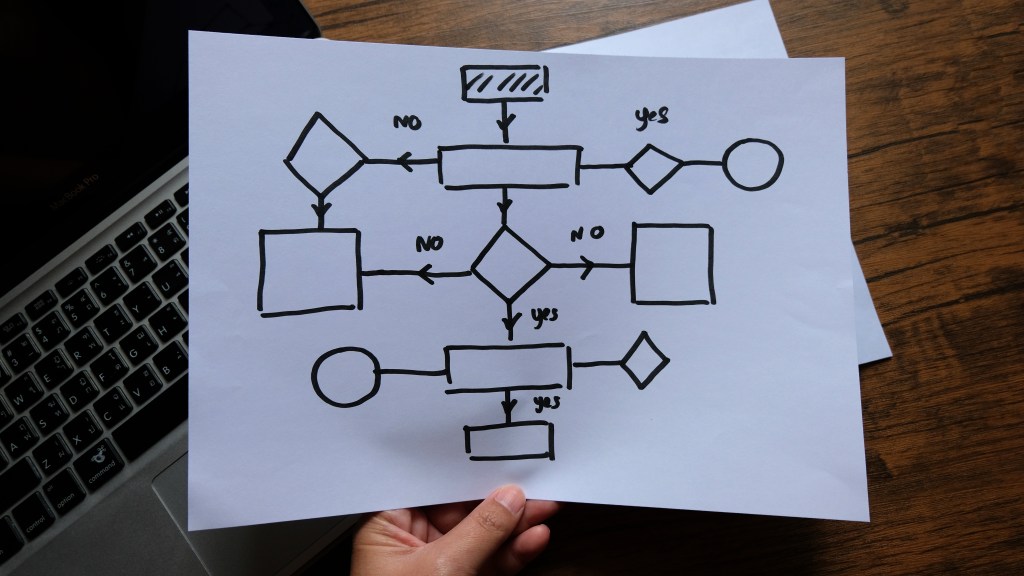
One of the biggest lessons to learn is that great design starts before the visuals are ever created. User flows are a key part of the Design Thinking process. They give you a bird’s eye view of how people navigate through a digital product. By doing this, I’m laying a strong foundation for MyPlymouth, a companion app for the town of Plymouth, CT.
What Are User Flows?
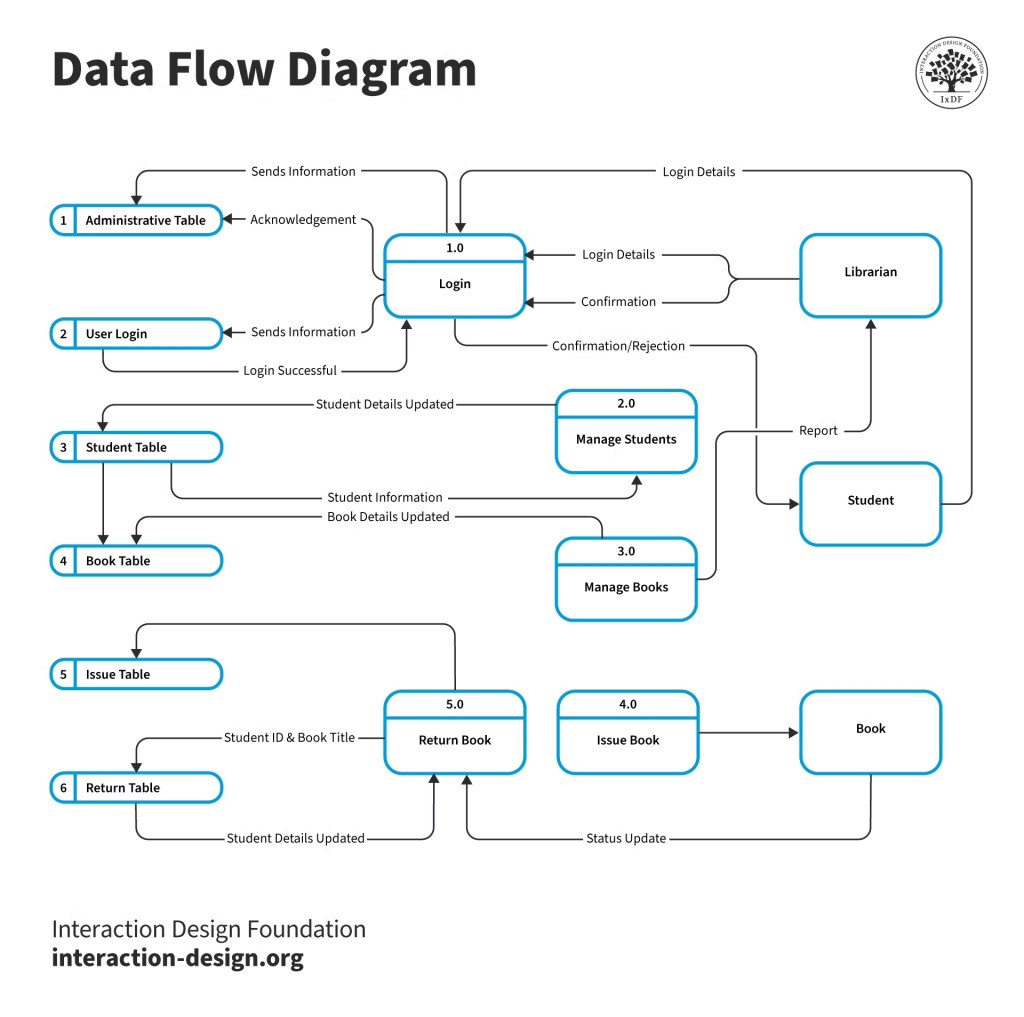
According to the Interaction Design Foundation, user flows “are diagrams that depict the path a user can take to complete a task while interacting with a product”. A user flow is a visual representation of the steps a user takes to complete a task on a website or an app. They map out not only the pages that are visited, but also the decisions that are made alone the way. Basically, they are interactive blueprints that track how the user moves throughout the website. User flows focus on what the user is doing and what information they need at each step.
Why Are User Flows Important?
User flows are an important part of user centered design because they help to prevent us from designing experiences that are only visually appealing and not structurally organized. Here are some reasons why user flows matter:
- They help identify areas of friction in the navigation.
- They make sure each screen has a clear purpose.
- They keep the product aligned withe the user’s goals.
- The make sure that the information architecture (IA) supports real tasks and decision making.
What Is MyPlymouth?
MyPlymouth is a mobile app designed to be a companion to the Plymouth, CT website and a hub for the residents and business owners of the town. The app brings together different features, like permits, alerts, events, and services, and makes them accessible in one place. From paying a bill, checking for snow delays, or viewing the town’s meeting schedules, the app is built for users to stay connected. My job is to ensure that the flow of the app reflects real people’s needs.
Who Is MyPlymouth’s Target Audience?
MyPlymouth is meant for all residents and business owners of Plymouth, but there are four main audiences that are targeted for this app:
- Local Residents: People who live in Plymouth and want easy access to town information and services.
- Civic-Minded Individuals: People who want to stay active and engaged with government activity, volunteer, or attend town meetings.
- Business Owners: Local business owners who need access to permits, bid opportunities, and economic development information.
- Parents and Families: Residents who are looking for child friendly programs, school schedules, and community events.
User Scenarios and Flows
Scenario 1: Jane – The Busy Parent
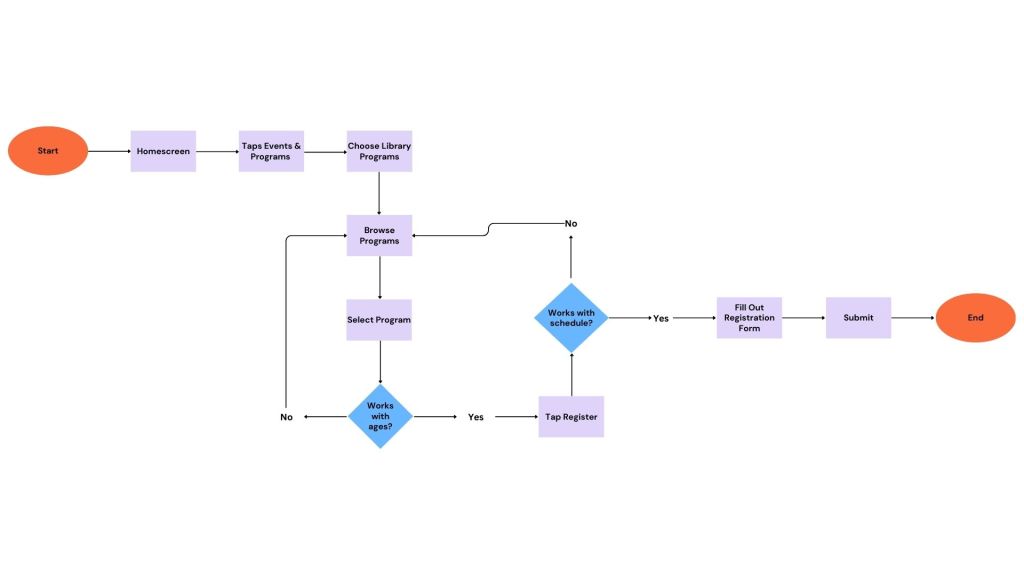
Jane is a full-time marketing coordinator with two children, ages 6 and 9. Between work and school drop-offs, her time is limited. She’s looking for affordable weekend activities to keep her kids engaged and off screens, but she often forgets to check flyers or town bulletin boards. On her lunch break at work, she opens the MyPlymouth app on her phone to explore local options. She navigates to Library Programs, filters for age-appropriate events, and finds a Saturday craft hour and a STEM workshop hosted by Parks & Rec. With just a few taps, she registers both kids, receives confirmation emails, and adds the events to her family calendar.
Jane’s User Flow:
Jane’s flow is fast and efficient showing that Jane has limited time and needs to make quick, informed choices for her family.
Scenario 2: Carlos – The Civic-Minded Resident
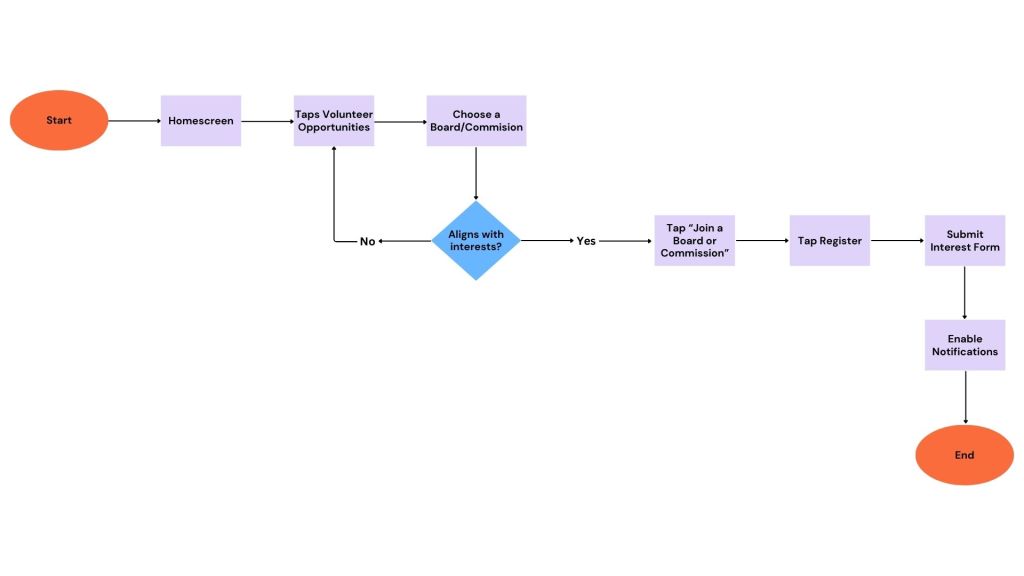
Carlos is a high school social studies teacher who recently moved to Plymouth. He’s deeply interested in civic engagement and wants to be an active part of his new town’s future. Between teaching and coaching his school’s debate team, he doesn’t have time to visit town hall or look at the website for ways to get involved. One evening, he downloads the MyPlymouth app on his tablet. Browsing through the Town Resources section, he finds a list of Volunteer Opportunities and notices an open spot on the Historical Preservation Board. He taps Join a Board or Commission, submits his interest form, and enables notifications for future board meetings.
Carlos’s User Flow:
Carlos’s flow is focused on discovery and engagement. It supports people who want to give back but don’t want to sift through bureaucracy to do it.
Scenario 3: Lena – The Local Business Owner
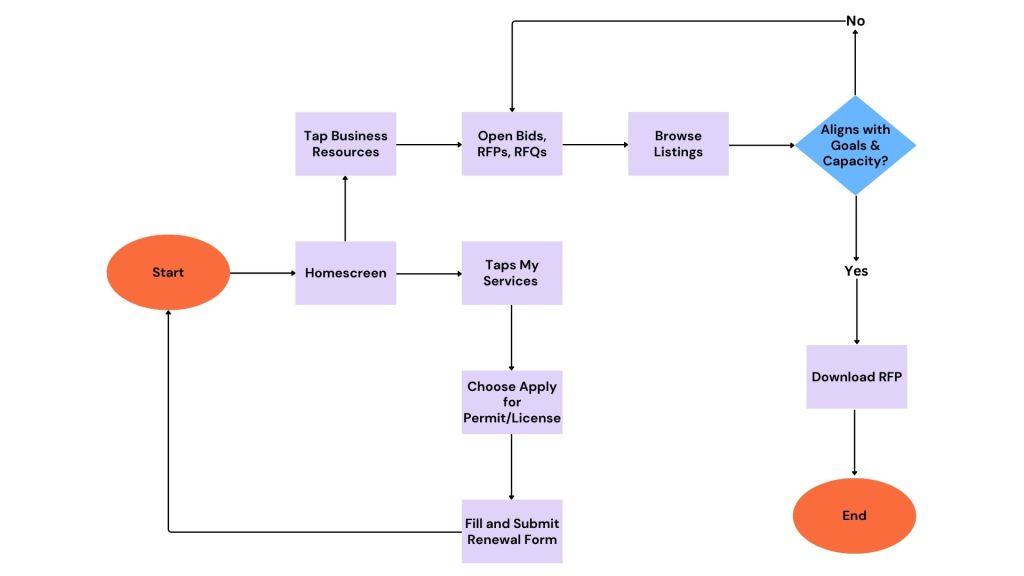
Lena owns a small, family-run restaurant near the town center. Business is steady, but she’s looking for more ways to stay engaged with the town and bring in more catering work. After a customer tells her about a town event seeking local food vendors, Lena checks the MyPlymouth app. She heads to the My Services section to renew her food service license, which is due soon. Then, she navigates to Business Resources, where she browses the latest Bids, RFPs, and RFQs. She sees an open RFP for catering an upcoming Parks & Rec event, downloads the document, and prepares her proposal.
Lena’s User Flow:
Lena’s flow supports multitasking and fast decision making. It lets her take care of both regulatory and growth oriented tasks within a few taps.
Final Thoughts
Working through user flows is an extremely clarifying step in the design process. It helps to prioritize the screens that need to be built, what content needs to go on them, and how to structure the navigation for clarity. It’s also important to remember that real people will be using your app or website. That means they have limited time, as well as different priorities and backgrounds. Designing for real people means taking into consideration their challenges, goals, and decisions.



 Pixel + Parchment
Leave a comment