
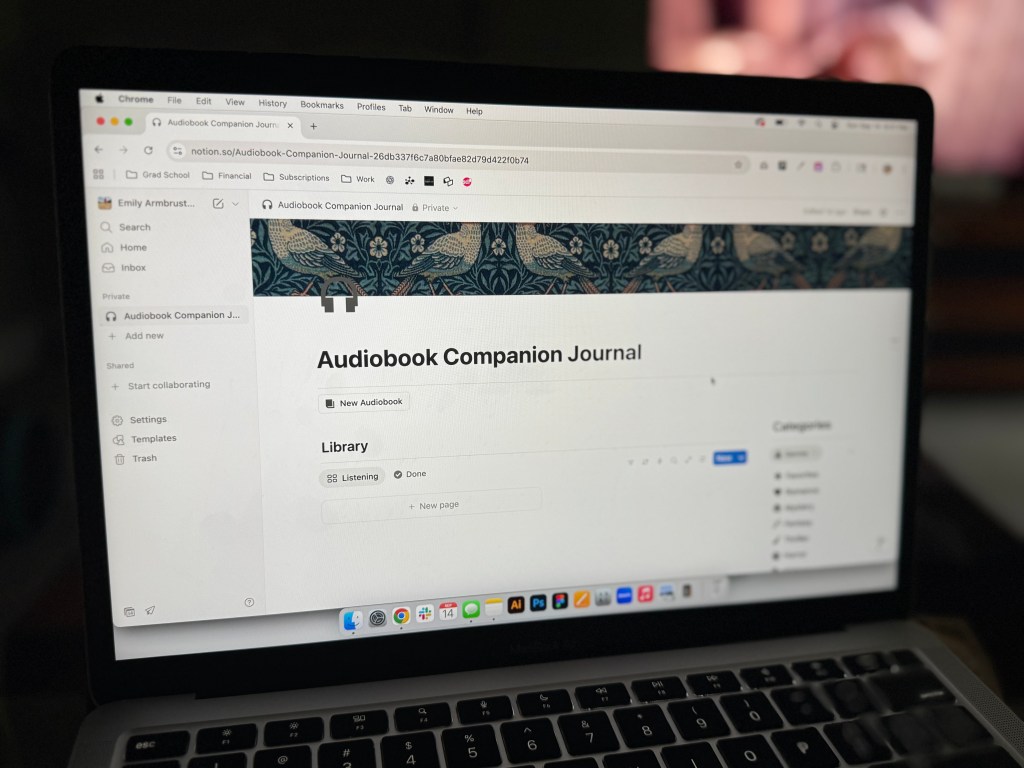
This week I started a very exciting (and slightly overwhelming) step in my digital product journey. I officially started building my audiobook companion journal in Notion. It has definitely been a learning curve, but I’m starting to see the vision take shape and that’s so exciting and motivating to me.
Building the Foundation
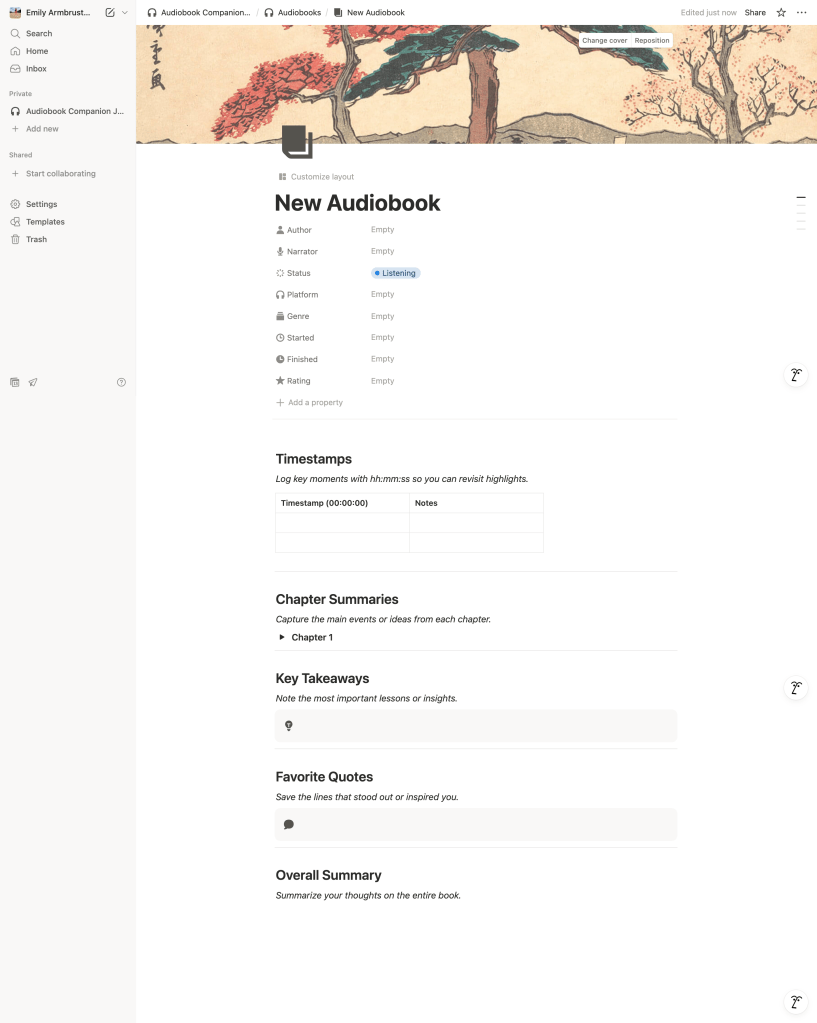
The main thing I focused on this week was creating the template page for logging new audiobooks. This is the main part of the product, so I wanted to make sure it worked well before starting other parts of the journal. The template includes sections for timestamped notes, favorite quotes, key takeaways, overall summaries, and book details. My goal is to give users a place where they can collect the major ideas and insights that they hear and be able to return to them later.
I also built the genre-specific page that can be accessed when selecting a genre from the main page. When a user selects a genre they want to look at, they’ll be able to see how many books they’ve logged under that genre and view them in a gallery. I then began to lay out the main hub page of the Notion workspace which is where everything will come together. With all of this complete, I like to think I’m about 30-40% finished. These two templates were the most important pieces, so I feel like that gave me some good headway.

Tools and Resources I Used
This week, I spent most of my time working in Notion, but I also heavily relies on outside resources to get started. I watched a lot of YouTube tutorials to help me get started and asked ChatGPT for helpful tips when I hit roadblocks. Both websites helped me to troubleshoot issues and learn how to use features like databases.
Wins and Challenges
I’m being completely honest when I say that not much felt like it was going smoothly at first. Notion is a very flexible software and when you’re new to using it, the software can be a little overwhelming. The hardest part for me was figuring out the database function. I ended up having to redo my work multiple times after having an issue with my work being saved. Once I got past that, things started to click and I could see why so many people use Notion for personal and project management.
Lessons Learned
The biggest takeaway from this week is that staring is often the hardest part. Even when I kept hitting a wall, I pushed through by watching video tutorials, asking questions online, and looking at other similar templated for inspiration. With that process, I got my first real taste of what Notion’s database features can do. They’re not easy to learn, but when you get the hang of them they’re quite powerful.
Looking Ahead
What I’m most proud of this week is simply not giving up. Even thought I felt overwhelmed at times, I didn’t let that frustration get the best of me or cause to me pivot my idea. I, instead, used the resources I had available and made some good progress.
Next week, my focus is going to be designing the main hub page. I want add more details for the user and links to resources, like Goodreads and Audible, so that the journal integrates naturally into a user’s listening flow.
This first week reminded me that progress isn’t always smooth, but even taking small steps adds up in progress. With what I’ve built so far, I’m ready to continue building and bring this even closer to launch.



 Pixel + Parchment
Leave a comment