
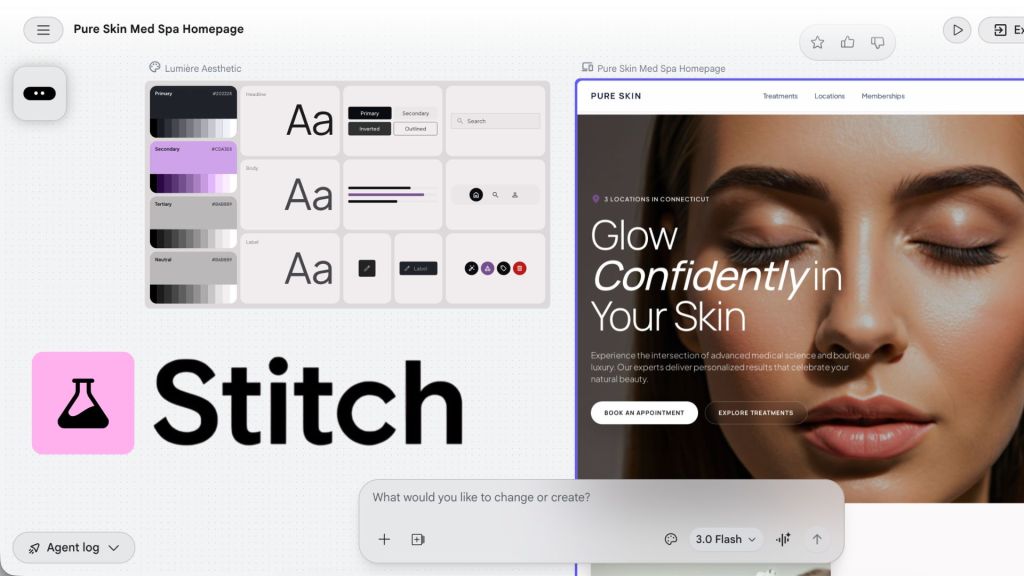
It’s clear that we’re in the age of AI. Everyday it seems like there’s a new AI-powered tool coming out and seems to be posing a threat to the way that many people work. One of the latest AI innovations to come out Google Labs is Stitch, a “vibe design” platform that allows you to generate a high-fidelity UI of either an app or a website. If you’re in any sort of digital design field, you’ve probably heard about Stitch and your first thought was, “Am I about to lose my job?”. That’s exactly what crossed my mind and before I panicked and switched my entire career path, I decided to put Stitch to the test and see if it’s a tool to better my workflow or a threat to my career.
What Exactly is Stitch?
In a blog post from Google, they describe Stitch as “an AI-native software design canvas that allows anyone to create, iterate and collaborate on high-fidelity UI from natural language”. Basically, Stitch allows anyone (whether or not they have UI/UX design skills) to type in a prompt and create a fully functioning UI prototype. It sounds scary. If anyone can simply type in what they want their app or website to look like, then my job is basically null and void, right? Google frames it as a jumping off point to get the design process started. They say that by “vibe designing”, users can explore a multitude of ideas in a short period of time. Once prompted, Stitch will set up a design system and create a prototype in just a few minutes. Screens generated in Stitch can be exported out into multiple different formats including, Figma files, MCPs, and even Google’s AI Studio which further builds out your prototype using Gemini.
Putting Stitch Up to the Test
Despite my reservations, I decided to test Stitch out and see what it can do. Using one of Develomark‘s current clients, Pure Skin Med Spa, I developed a new website homepage. Being as thorough as possible, I gave Stitch a hefty prompt that included:
- The design style I wanted for the page: Design a modern, clean, and aesthetic homepage for a medical spa brand called Pure Skin Med Spa. The design should feel elevated, feminine, and trustworthy, with a strong focus on skincare results and wellness. Clean spacing, soft shadows, subtle gradients, rounded edges, and minimal clutter.
- The brand colors: Primary: #202228 (deep charcoal), Accent: #cda3e8 (soft lavender), Neutral: #bab8b9 (cool gray), Background: #ffffff (white)
- The typography style: Elegant, modern sans-serif pairing (light + medium weights). Avoid anything too clinical—balance luxury and approachability.
- The type of imagery to use: Use high-quality, natural-looking photos of healthy, glowing women ages 25–45. Skin should look radiant, not over-retouched. Include lifestyle + treatment moments.
- The sections to include: Hero section, About Us, Treatments, Video Testimonials, Unique Selling Points (USPs), Memberships, Online Reviews, Locations, and Footer with Contact Form
- UX and design notes: Prioritize strong visual hierarchy and whitespace, Keep interactions subtle and smooth (hover states, soft transitions), Ensure mobile responsiveness with stacked sections Use rounded buttons and soft shadows for a modern feel, Avoid clutter—this should feel premium and calming
At Develomark, we work with AI with the saying, “Put garbage in, get garbage out”, meaning the better your prompt then the better your output will be. I wanted to put in a well thought out and detailed prompt in order to truly test how well Stitch can work. After working for about three to five minutes, the results were interesting.
What Stitch Did Well
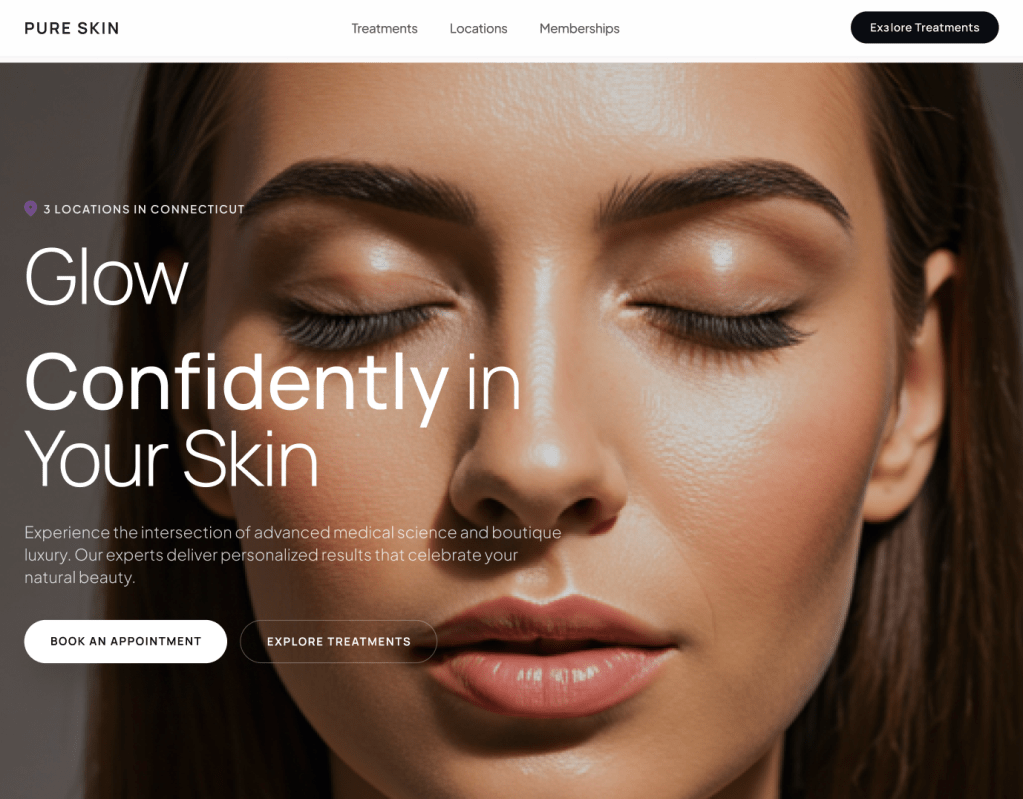
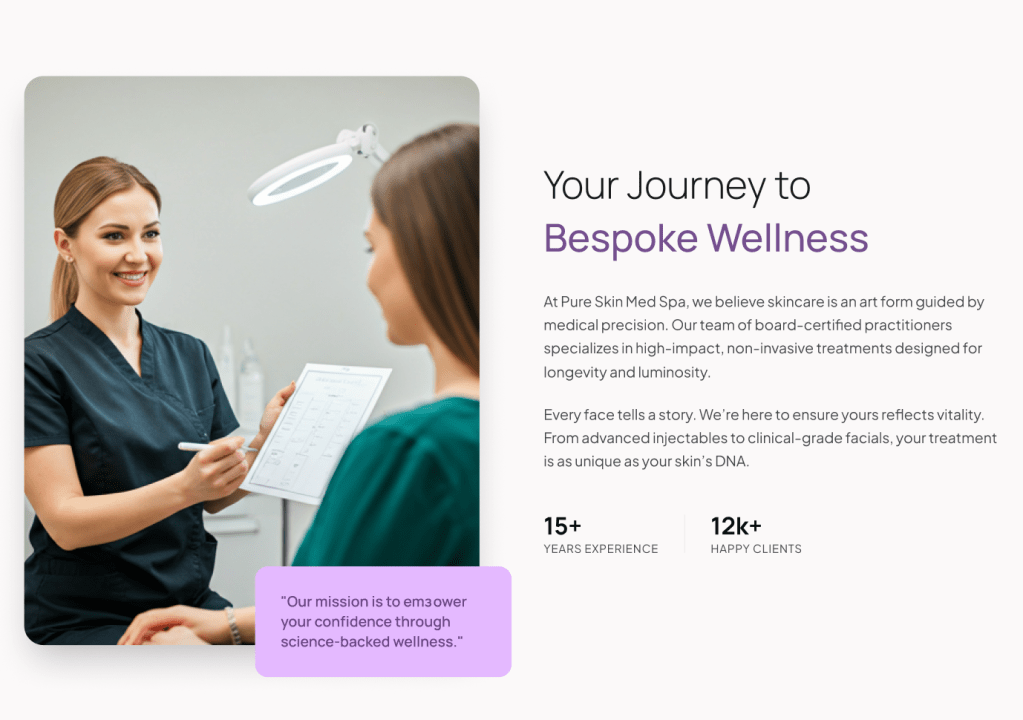
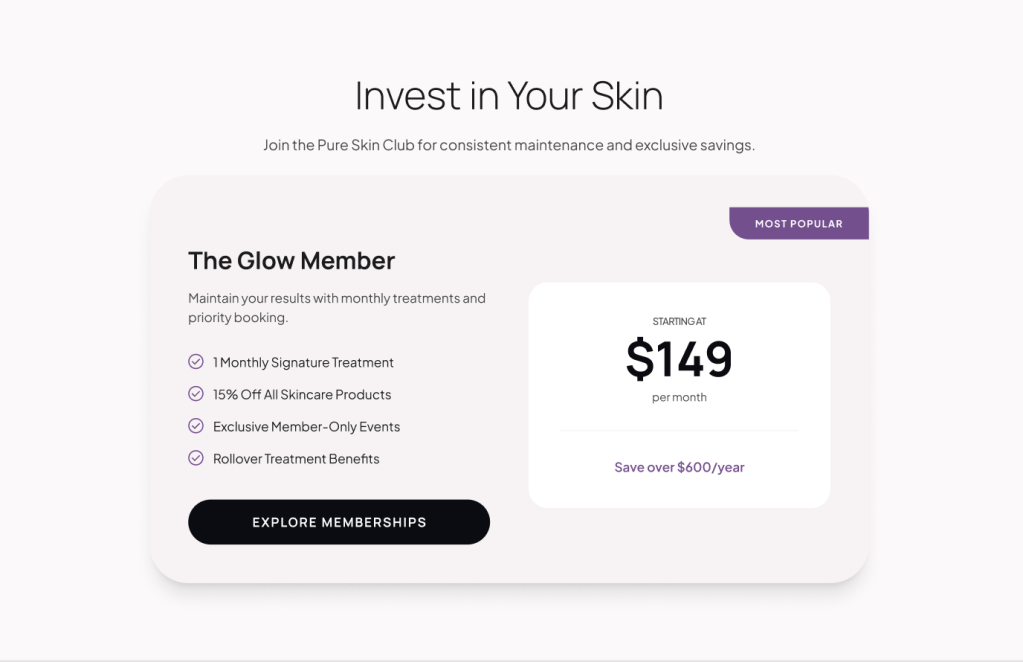
I will say right off the bat, I was pleasantly surprised with the initial results I got from Stitch. The homepage design was well structured and easy to navigate. It’s overall very appealing and matches the brand that I outlined in my prompt. I also thought that the time it took to generate both a basic design system and web page was not too long at all. It only took a few minutes for me to have a design. If I wanted to make any changes in the Stitch canvas, I simply could continue to prompt and a new page with my requested changed would be generated. If I wanted to continue working on this design myself, a simple copy and paste was all I needed to get this design into my Figma account. That page is then structurally organized within Figma’s best practices. The pieces are perfectly placed in labeled frames and use Auto Layout is used to make sections responsive based on screen size. While I thought all of these features were great, I wouldn’t call the results a final design. It was only a starting point.
What Stitch Fell Short On
I showed Stitch’s mockup to my boss and asked him, “How would you feel about showing this page to a client as their website design?” He said he would not feel good about it because it lacks personality, there’s no real photos or logo, and it feels cold and empty. He said it works well for a wireframe. Like most AI generated creative, this is where I think Stitch falls short. The page is created feels very sterile and stock, like it could be for any brand and not just Pure Skin. The biggest fallback to me was that you can’t upload logos or images for Stitch to use in its design. You can only upload up to five sketches or screenshots for inspiration. To me, this makes it more of a wireframing and outlining tool. The content that was written made sense, but it wasn’t custom to this specific client – it was general content that could be used for any med spa. Also, when you copy and paste the design into Figma, you lose all prototyped components like button hover states. What’s the point of Stitch doing it, if I would have to re-do it once I’m in Figma? After generating a few different iterations, my anxiety over the state of my career began to ease.
What This Means For UI/UX Designers
Overall, was my experience with Stitch positive? Yes, I would definitely use it again. However, I would use it only as a starting point. I would never show a Stitch generation to a client as their final design. It’s a great tool for wireframing and concept exploration. If you have an idea and want to see if it will work, pop it into Stitch and save yourself the legwork of designing from scratch. As AI continues to evolve, design roles are going to begin to shift from creator to editors and strategists. We won’t be doing much of the UI execution, but the UX thinking will have to come from our minds. Only humans know how humans will interact with something. That’s what can’t be replaced with AI. Clients will begin to value your thinking over how you can execute the concept. In the long run, the client probably won’t care how their website or app was created as long as their designer understands their goal. Communication will become the most important aspect of the relationship.
So, do I think Stitch is coming for my job? No. I think I will continue to use Stitch as a way to wireframe, test new concepts and ideas, and speed up the early phases of the design process. I would not recommend relying on Stitch for final UX decisions, usable content, or conversion optimization. Stitch won’t be replacing UI/UX designers any time soon, but it will expose the ones who are just designing screens and not applying any design thinking in the process. If you want to evaluate your own AI-generated designs, I created a UI/UX checklist you can use. Click the button below to download the PDF.

 Pixel + Parchment
Leave a comment